Fixing Proxmox Boot Hangs When Passing Through 2× RTX 3090 GPUs: Step-by-Step Troubleshooting Guide
Running multiple NVIDIA GPUs for AI workloads in Proxmox VE can cause early boot hangs if the host OS tries to load conflicting drivers. In this guide I document how my Proxmox host with 2× RTX 3090 was stuck at systemd-modules-load, how I debugged it, which files to inspect (/etc/default/grub, /etc/modprobe.d/, /etc/modules-load.d/), and the final stable configuration for rock-solid GPU passthrough to an Ubuntu VM.
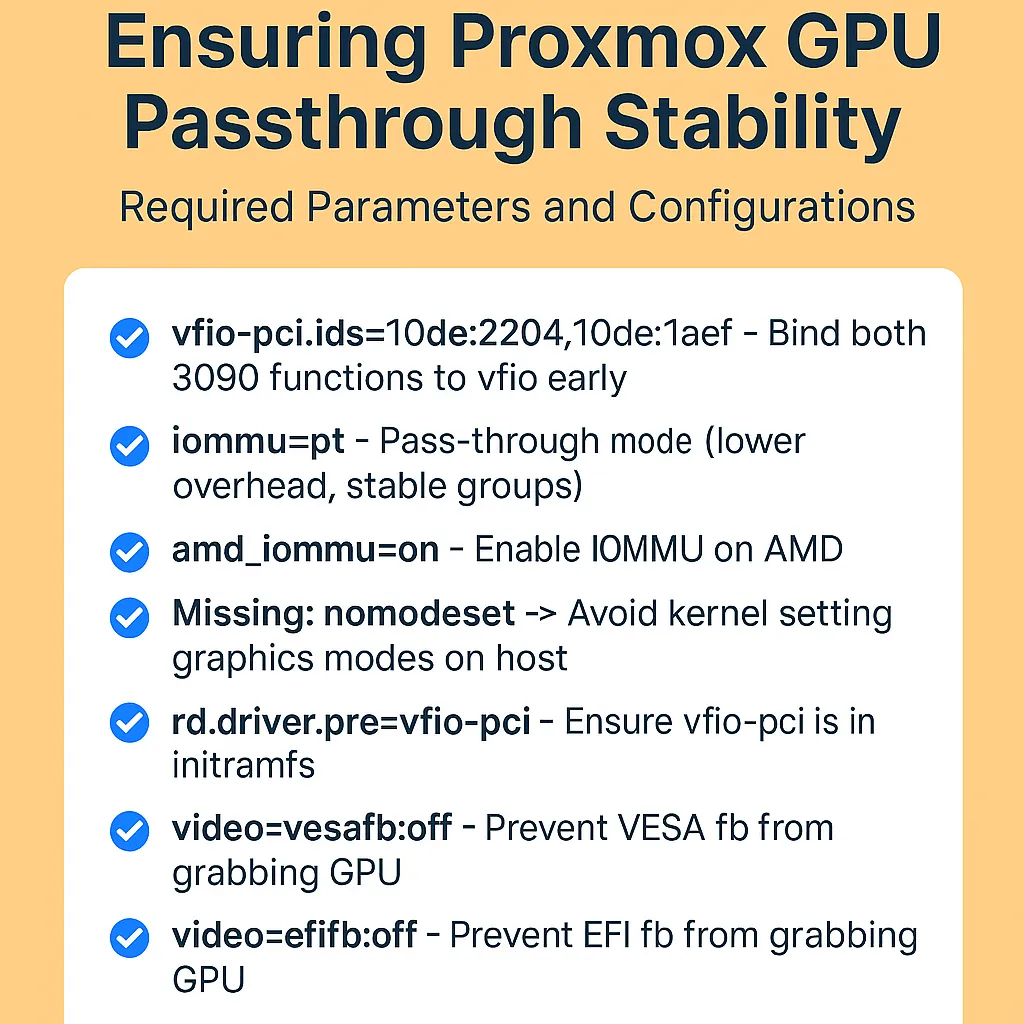
Running multiple NVIDIA GPUs for AI workloads in Proxmox VE can cause early boot hangs if the host OS tries to load conflicting drivers. In this guide I document how my Proxmox host with 2× RTX 3090 was stuck at systemd-modules-load, how I debugged it, which files to inspect (/etc/default/grub, /etc/modprobe.d/, /etc/modules-load.d/), and the final stable configuration for rock-solid GPU passthrough to an Ubuntu VM.
What Happened
After setting up Proxmox VE to host an AI VM with dual RTX 3090s, the system began freezing during boot. The last message was:
sysinit.target: starting held back, waiting for: systemd-modules-load.service
Only booting with systemd.mask=systemd-modules-load.service worked. This pointed to a bad module load order during early boot.
Key Checks During Debugging
- Kernel Command Line (
/etc/default/grub)
Must include:amd_iommu=on iommu=pt vfio-pci.ids=10de:2204,10de:1aef rd.driver.pre=vfio-pci \ nomodeset video=efifb:off video=vesafb:off modprobe.blacklist=nouveau,nvidiafb,nvidia -
Module Auto-Load Lists
/etc/modules→ should be empty./etc/modules-load.d/*.conf→ must not listnvidia,nouveau, orvfio_virqfd.
- Blacklists (
/etc/modprobe.d/*.conf)
Block NVIDIA drivers:blacklist nouveau blacklist nvidia blacklist nvidia_drm blacklist nvidia_modeset blacklist nvidiafb options nouveau modeset=0And bind IDs to VFIO:options vfio-pci ids=10de:2204,10de:1aef - Initramfs
Always run:update-grub update-initramfs -u -k all -
Runtime Validation
systemctl status systemd-modules-load→ should be active (exited).lsmod | egrep ‘vfio|nvidia|nouveau’→ vfio present, no nvidia/nouveau.lspci -k | grep -A3 -E “NVIDIA|Audio”→ both GPUs bound to vfio-pci.
My Final Stable Configuration
-
/etc/default/grub
GRUB_CMDLINE_LINUX_DEFAULT=“quiet nomodeset amd_iommu=on iommu=pt vfio-pci.ids=10de:2204,10de:1aef rd.driver.pre=vfio-pci modprobe.blacklist=nouveau,nvidiafb,nvidia video=efifb:off video=vesafb:off” - /etc/modules → empty
- /etc/modules-load.d/ → empty
-
/etc/modprobe.d/blacklist-gpu-host.conf
blacklist nouveau blacklist nvidia blacklist nvidia_drm blacklist nvidia_modeset blacklist nvidiafb options nouveau modeset=0 -
/etc/modprobe.d/vfio.conf
options vfio-pci ids=10de:2204,10de:1aef
This ensures Proxmox never binds the RTX 3090s, leaving them cleanly available for passthrough to my Ubuntu AI VM.
Copy-Paste Ready Checklist
Run these commands on your Proxmox host to apply the stable config:
# 1. Configure GRUB
sed -i -E 's|^GRUB_CMDLINE_LINUX_DEFAULT=.*|GRUB_CMDLINE_LINUX_DEFAULT="quiet nomodeset amd_iommu=on iommu=pt vfio-pci.ids=10de:2204,10de:1aef rd.driver.pre=vfio-pci modprobe.blacklist=nouveau,nvidiafb,nvidia video=efifb:off video=vesafb:off"|' /etc/default/grub
update-grub

# 2. Clean module auto-load lists
truncate -s0 /etc/modules
truncate -s0 /etc/modules-load.d/modules.conf

# 3. Blacklist NVIDIA drivers
cat >/etc/modprobe.d/blacklist-gpu-host.conf <<'EOF'
blacklist nouveau
blacklist nvidia
blacklist nvidia_drm
blacklist nvidia_modeset
blacklist nvidiafb
options nouveau modeset=0
EOF

# 4. Bind both RTX 3090s (GPU + audio) to vfio-pci
cat >/etc/modprobe.d/vfio.conf <<'EOF'
options vfio-pci ids=10de:2204,10de:1aef
EOF

# 5. Rebuild initramfs
update-initramfs -u -k all

# 6. Reboot
reboot
After reboot:
lsmod | grep vfio→ shows vfio modules.lsmod | grep nvidia→ no output.lspci -k | grep -A3 NVIDIA→Kernel driver in use: vfio-pci.
At this point, your Proxmox host boots reliably and both RTX 3090s are ready for passthrough to your Ubuntu VM.